
In summary
- A firewall controls who talks to whom — it does not replace antivirus software, backups, or staff training.
- The ISP router is not an enterprise firewall. It does basic filtering and little else.
- Most successful attacks log in using valid credentials, not through an open door — hence the importance of well-executed remote access.
- A firewall no active subscription and no one reading the alerts it's expensive equipment for very little return.
In this article
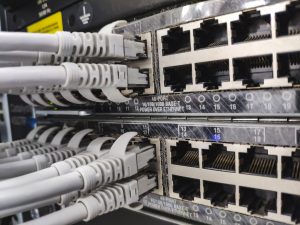
Few pieces of equipment are bought with as much conviction and configured with as little attention as a firewall. You install it, plug it in, and assume the company is protected. In practice, the protection a firewall provides depends almost entirely on how it was configured and who looks at it afterwards.
What does a firewall do
A firewall controls the traffic entering and leaving the company network, deciding what passes and what is blocked. In a modern enterprise firewall, this control goes well beyond opening and closing ports:
- Network segmentation — to separate the guest network from the internal network, or the production equipment from the office workstations, so that a problem in one place doesn't reach the rest.
- Content inspection - analyse traffic for known attack patterns.
- Navigation filtering — block website categories and newly created domains, which are a classic vector for fraud.
- Secure remote access — to provide controlled access to those outside, without exposing internal systems to the internet.
- Registration — to know what happened, which is worth its weight in gold after an incident.
What it doesn't do
This part is as important as the previous one, because it explains most of the false senses of security.
A firewall it does not stop someone from opening a malicious attachment received by email. It doesn’t stop a reused password being used by someone else. It doesn’t protect laptops when they leave the office. And it doesn’t recover anything — if data is encrypted by ransomware, it’s the backup that brings it back, not the firewall.
Most serious incidents are not blocked by a firewall. They log in using valid credentials — obtained through fraud, password reuse or misconfigured remote access. The firewall protects the perimeter; nowadays, a large part of the risk no longer passes through the perimeter.
Why the operator's router doesn't reach
The equipment the operator installs carries out basic filtering and does its job in a home. In a business, it lacks the things that matter: segmentation, per-user or per-group policies, usable logging, regular updates, and the capability for controlled remote access.
There is still a detail that goes unnoticed: the operator's router is managed by the operator. The rules can change in a remote update without anyone warning — which is acceptable at home and not in a business infrastructure.
Remote access: where everything is decided
If there is one point where it is worth focusing attention, it is this. The way people access systems from outside determines a large part of the company's real risk.
Three rules that prevent most problems:
- No internal services exposed directly to the internet. Remote working environments and admin panels accessible from anywhere are the target of permanent automated attacks.
- Two-factor authentication, always. It is the single measure with the best balance between effort and protection. A stolen password is no longer enough.
- Expiring access. Third-party suppliers and former employees maintain active access for years with a frequency that surprises anyone conducting the review for the first time.
How to size and choose
Two variables dominate the sizing: the number of concurrent users and a bandwidth with active inspection. This second one is the one that generates surprises — many devices advertise flow rates that are only achieved with the safety functions turned off. With inspection turned on, the actual performance can be a fraction of that.
It is also advisable to confirm the licensing model. The features that give value to a modern firewall — filtering, inspection, signature updates — depend on annual subscriptions. When these subscriptions expire, the device keeps running but stops protecting, without anything visible happening.
Frequent errors
- Fit and forget. Rules accumulate, become obsolete and nobody removes them. An annual review of the rules is basic hygiene.
- Let the subscription expire. It is the quietest mistake on this list.
- Do not segment. Guests, production equipment, CCTV cameras and workstations on the same flat network mean that a problem reaches everything.
- Nobody reading the alerts. Equipment for logging incidents that no one consults serves to reconstruct what went wrong — not to prevent it.
- Temporary rules that stay. That open door for a supplier on a Saturday tends to still be open two years later.
A firewall is a layer, not a solution. It works well when accompanied by tested backups, up-to-date patches, two-factor authentication and people who know how to recognise a scam attempt.
DataRoad implements and manages firewalls and IT security for businesses, integrated into IT management and with continuous monitoring of alerts.
A chat before making a decision
Whether you’re tackling a specific problem, planning a move or simply looking for a second opinion, we always start in the same way: by understanding your situation before making any suggestions. No obligation, no jargon and no catalogues.